 Updated on
 By Bradley Kovacs
Table of Contents

Sales contact manager software has quietly become one of the most essential tools for modern businesses. Whether you're managing leads, keeping track of returning customers, or handling hundreds of inbound messages per week, you're likely juggling more data than ever before.
The problem?
Spreadsheets, sticky notes, and scattered apps make it nearly impossible to keep up.
That's where contact manager software can help.
Today, you'll learn exactly what it is, how it works, who needs it, how to pick the right one, and, most importantly, how to use it to make your sales, marketing, and support workflows dramatically more efficient.
Top 10 Contact Manager Software for 2026
We've reached a point where a visual summary will be beneficial for clarity.
To best illustrate the details, the required information is presented in the table below.
|
Rank |
Software |
Best For |
Notable Features |
|
1 |
Sales & SMB teams |
CRM, VoIP, and automation |
|
|
2 |
Beginners |
Contact tracking |
|
|
3 |
Small businesses |
Email sync |
|
|
4 |
Outlook users |
Email integration |
|
|
5 |
Accounting |
Invoice linking |
|
|
6 |
Project teams |
CRM tools |
|
|
7 |
Personal users |
Syncing |
|
|
8 |
DMR radio users |
Radio data mgmt |
|
|
9 |
SMBs |
Desktop CM |
|
|
10 |
Developers/Budget users |
Customization/Low cost |
This table highlights how each system balances cost, specialization, and features. You can use it as a quick reference before exploring trial versions or committing to a subscription.
Now that you have a basic overview of our favourite agencies, let's take a closer look at each to find out more.
Ringy
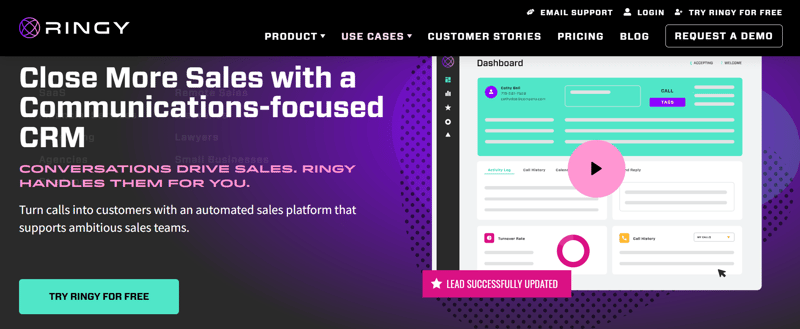
A comprehensive platform designed for active sales teams, Ringy excels at integrating communication channels directly into the sales workflow. Our software is built for power users who need to make a high volume of calls and manage interactions efficiently. The system provides tools for sales cadences, lead distribution, and performance tracking, making it a robust solution for managing a pipeline from initial outreach to close.
HubSpot CRM
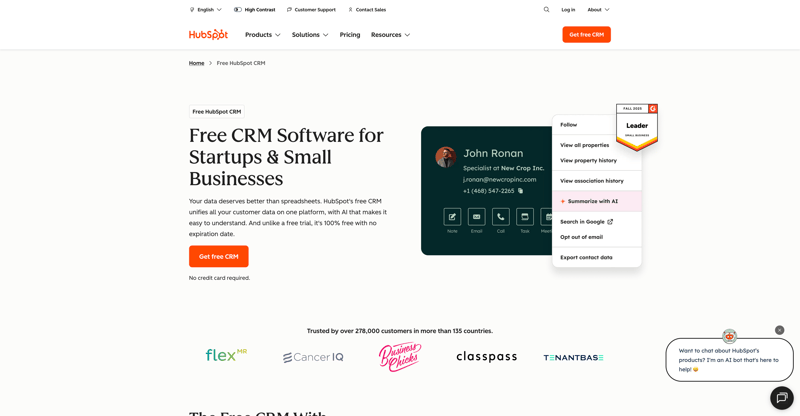
HubSpot CRM offers an intuitive and incredibly user-friendly interface, making it an ideal entry point for individuals or small teams new to customer relationship management.
Beyond basic contact organization, it serves as the foundational layer for HubSpot's extensive suite of marketing, sales, and service hubs, allowing businesses to scale up their functionality seamlessly as their needs evolve.
Zoho ContactManager

Tailored specifically for the needs of small business owners, Zoho ContactManager focuses on simplifying the process of keeping track of customer details and communication history without the complexity of a full-scale CRM. Its strength lies in its ability to centralize customer information and integrate with the broader Zoho ecosystem, providing tools for document management, invoicing, and project collaboration.
Microsoft Outlook Contact Manager
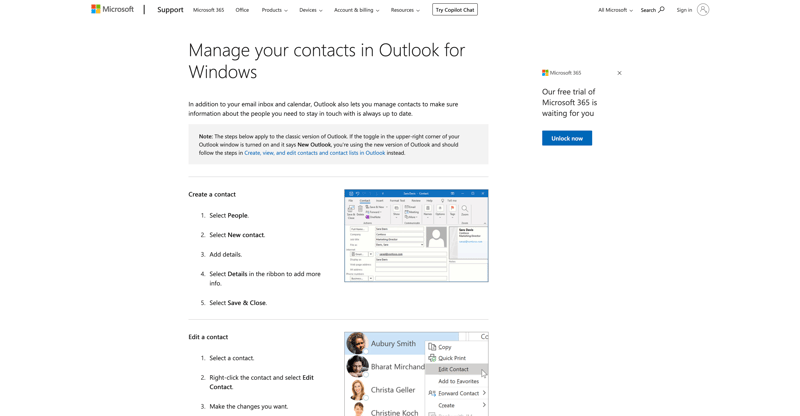
This solution is not a standalone product but a feature designed to enhance the experience for businesses already heavily invested in the Microsoft 365 environment. It allows users to leverage their familiar Outlook interface for sophisticated contact relationship tracking, managing tasks, and logging activities without needing to switch between different applications.
QuickBooks CM Add-on
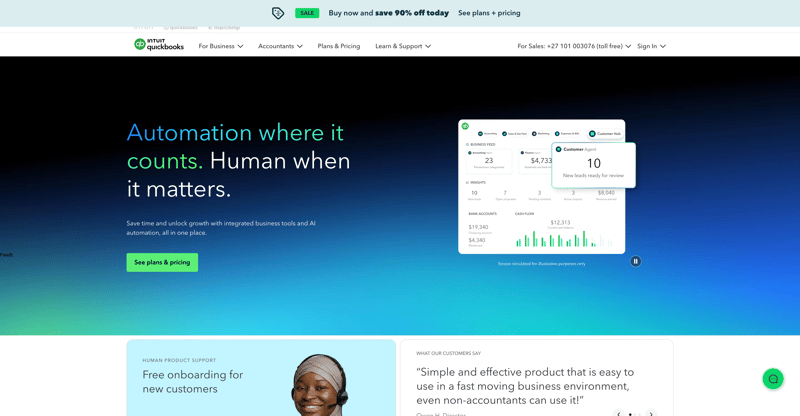
Primarily targeting businesses where sales and accounting functions are closely intertwined, this add-on bridges the gap between managing customer relationships and financial transactions. Its unique value is providing a unified view of a customer's purchasing history, outstanding balances, and payment status alongside their communication record, streamlining billing and reconciliation processes.
Insightly
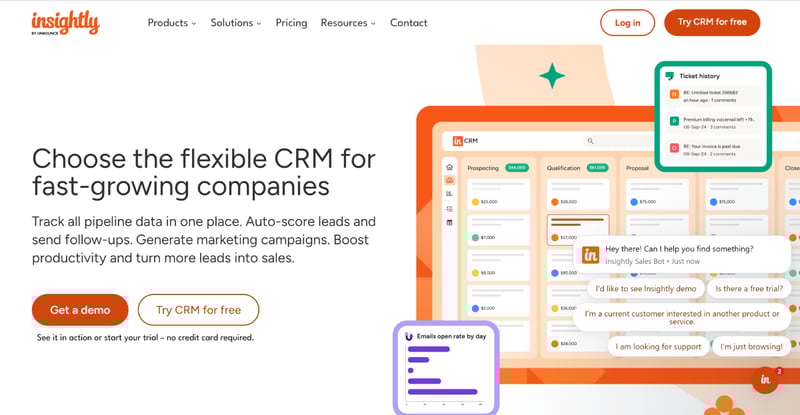
Insightly is distinguished by its focus on linking customer data to project management. It is an excellent fit for consulting firms, agencies, or businesses where the sales cycle directly leads into complex, multi-stage service delivery.
The system allows teams to turn a closed deal into a complete project plan, assigning tasks, setting milestones, and tracking progress directly within the CRM.
Google Contacts
As a free and universally accessible tool, Google Contacts is the backbone of personal and G Suite communication.
Its core strength is its ubiquity and seamless integration across all Google services (Gmail, Calendar, Android), ensuring that contact information is always current and accessible across multiple devices without manual effort.
N0GSG Contact Manager
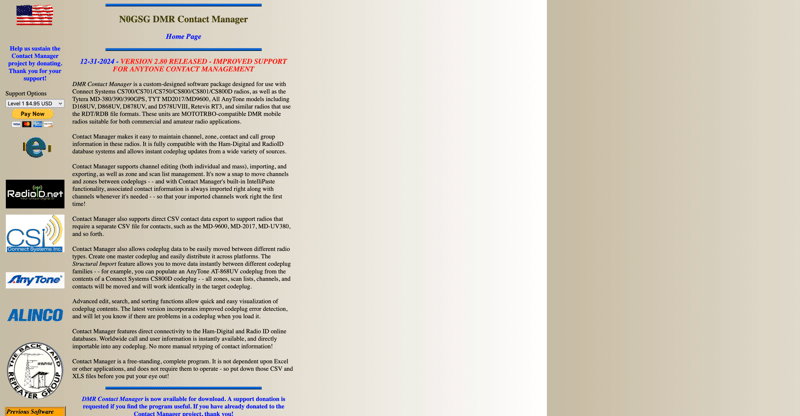
This is a highly specialized piece of software designed for the niche community of amateur radio operators, particularly those involved with Digital Mobile Radio (DMR). Its features are dedicated to managing the unique identifiers, call signs, and radio network-specific data required for logging and managing contacts made over amateur radio frequencies.
Act!

Act! has a long history as a desktop-based contact management solution, making it a favourite for small to midsize businesses that prefer a local, robust, and highly customizable database. It provides advanced features for detailed relationship tracking, personalized marketing automation, and historical logging, maintaining strong performance even with large volumes of data.
What Is Contact Manager Software?

Contact manager software is a digital system that helps you store, organize, track, and engage with contacts across your business.
A contact manager software is a tool designed to centralize contact details, communication history, notes, reminders, and activities in one searchable location. It helps businesses, sales teams, and individuals keep track of customer interactions, follow-ups, and tasks.
The software simplifies communication, improves organization, and often integrates with email, VoIP, and CRM platforms to streamline workflows.
Instead of juggling emails, spreadsheets, phone logs, and sticky notes, you use one hub for:
- Contact details
- Past communications
- Notes and tasks
- Reminders and follow-ups
- Tags and segmentation
- Activity timelines
Sales or Gmail contact manager software centralizes contact info, communication logs, tasks, and reminders to keep your customer relationships running smoothly.
What Contact Manager Software Does
You can think of contact manager software as “CRM Lite.” It doesn't carry the complexity of enterprise CRM systems. Still, it gives you everything you need to manage relationships day-to-day, especially if you're a small business or solo operator.
Here's a simple diagram showing how contact manager software centralizes data:
+------------------------------------+
| Contact Manager Hub |
+------------------------------------+
/ | \
/ | \
Contact Info Notes Communication Logs
| | |
Reminders Follow-Ups Email/SMS/Call History
By centralizing all this vital information, from basic contact details to the history of every interaction and the reminders for future action, contact manager software ensures that no relationship falls through the cracks.
Contact Manager Software vs CRM
Where CRM systems include pipelines, multi-step automations, and advanced reporting, contact manager software keeps things simple by focusing primarily on:
- Storing contact information
- Tracking communications
- Managing tasks and reminders
- Basic segmentation
- Light reporting
It's perfect for businesses that don't need a full sales pipeline or marketing automation suite.
Who Uses It and Why It Matters
Contact manager software benefits virtually anyone who needs to maintain relationships, including:
- Sales teams
- Marketing teams
- Customer support reps
- Real estate professionals
- Freelancers
- Consultants
- Accountants
- Operational staff
- Call center teams
- Field service teams
If your work depends on keeping track of people, conversations, and follow-ups, contact manager software helps you stay organized and never miss an opportunity.
The biggest impact?
Consistent follow-up.
Studies show that up to 80% of sales come after the 5th follow-up, yet most professionals stop after the second. A contact manager prevents those losses.
Open Source Contact Managers
This category represents a philosophy rather than a single product, offering flexible, community-driven solutions that appeal to users with technical expertise or strict budget constraints. These systems prioritize source code transparency, allowing for extensive modification and integration with existing infrastructure, and typically benefit from a network of volunteer developers.
Benefits of Using Contact Manager Software

The right contact manager software helps you stay organized, improve communication, and streamline your daily workflows.
Below is a breakdown of the key benefits that make this tool essential for you and your business.
Organization and Efficiency
A contact manager provides a unified customer database, where every email, call, message, or note is automatically saved.
You benefit from:
- Seamless record-keeping
- Easier customer lookup
- Faster onboarding for new employees
- Reduced errors and duplications
Instead of searching through inboxes or old documents, you always have the full picture.
Better Communication
You get clearer, faster, and more reliable communication when all channels feed into a single system.
Features like:
- Shared notes
- Contact logs
- Email history
- Message summaries
Ensure everyone on your team stays aligned when speaking to customers. This is especially useful in call centers and contact centers, where accuracy is crucial.
Automation and Productivity
Automation is where modern contact management shines.
Even if you're using free contact manager software, you can still automate:
- Appointment reminders
- Follow-ups
- Notifications
- Task creation
Paid versions take things further with:
- Automated emails
- Contact scoring
- Lead prioritization
- Activity tracking
- Workflow routing
Ringy includes task automation, SMS automation, and follow-up sequences that reduce manual work dramatically.
Scalability and Integration
A modern contact manager grows with your business and connects seamlessly with your existing tools.
Most platforms integrate with:
- Email systems (Gmail, Outlook)
- VoIP call center phone systems
- CRM & contact manager software combos
- Marketing automation tools
- Accounting software
- Chat apps
If you're using a system like Ringy, you get native VoIP, SMS, CRM capabilities, and contact management in one place.
Accessibility and Collaboration
Your team can access contacts from:
- Laptops
- Smartphones
- Tablets
- Cloud dashboards
- Android apps
- Windows desktop tools
Real-time updates ensure your entire team sees the same info—ideal for field sales teams, contact centers that need CRM features, and remote operations.
Features to Look for in the Best Contact Manager Software

To choose the right contact manager software, you need to know which features actually matter for your business.
Below is a feature-by-feature breakdown to help you evaluate options.
Centralized Database and Easy Import
When evaluating contact manager software, it's crucial to prioritize platforms that offer robust data management capabilities. Importing your existing contact data smoothly and maintaining its integrity over time are foundational requirements for a successful implementation.
A good system ensures you can quickly load all your previous contacts, keep them synchronized with other essential platforms, and easily clean up errors and duplicates.
Look for platforms that support the following key features:
- CSV uploads
- Google Contacts sync
- API imports
- Duplicate detection
- Bulk editing
Focusing on these data-handling features ensures your system starts clean, accurately reflects your current network, and stays clean and manageable as your contacts evolve.
Communication Tracking
Your contact manager should log a comprehensive history of all interactions, providing a complete communication audit trail for every contact:
- Emails: Store all received and sent emails, preserving the full text, subject line, date, time, and any attachments. This ensures no communication detail is lost.
- SMS messages: Automatically record all inbound and outbound text messages, clearly noting the time and date each message was sent and received.
- Calls: Log all phone calls (both incoming and outgoing), capturing key metrics such as the call duration, the exact time the call occurred, and a mandatory field for noting the outcome or a brief summary of the conversation.
- Voicemails: Capture voicemails left by contacts, providing either the original audio recordings or accurate, searchable transcripts of the messages.
- Chat messages: Integrate with and record conversations from various instant messaging platforms (e.g., WhatsApp, Telegram, Slack, etc.) to centralize all chat-based communications.
This comprehensive logging ensures you have a readily accessible, complete, and accurate record of every communication with each contact, which is vital for relationship management and accountability.
Reminders and Scheduling
Your software should help you stay on top of follow-ups, appointments, and important dates.
Look for:
- Calendar sync
- Task management
- Snoozed reminders
- Recurring follow-ups
Ringy's built-in calendar sync is extremely useful in this area.
Tagging and Segmentation
Segmentation allows you to group contacts based on:
- Purchase intent
- Lead stage
- Industry
- Source
- Behavior
This helps you prioritize the right leads at the right time.
Reporting and Analytics
Even simple contact managers should provide:
- Activity reports
- Contact source data
- Email engagement
- Task completion rates
- Interaction history
If you want more advanced analytics, you may eventually need CRM software.
Security and Data Privacy
Your data must be protected with strong security measures.
Look for:
- Encryption
- GDPR compliance
- Role-based permissions
- Audit logs
- Secure backups
Ringy applies enterprise-grade encryption to protect your information.
Free vs Paid Contact Manager Software
Below is a full comparison of free vs paid contact manager software to help you understand which one fits your needs.
Free options are great for individuals, but businesses often require paid tools to unlock automation, integrations, and team features.
Let's look at the advantages and disadvantages of free contact manager software.
|
Pros |
Cons |
|
No cost |
Limited automation |
|
Easy to use |
Fewer integrations |
|
Ideal for personal use or freelancers |
Often capped contacts |
|
No advanced reporting |
Ultimately, the best choice for a contact manager comes down to your unique situation. If you're just starting out or managing a small personal network, a free option might be all you need.
But as your business grows and your team expands, investing in a paid solution will give you the powerful tools and flexibility required to keep those vital connections strong and organized.
Paid tools offer:
- Automation
- Better collaboration
- Advanced analytics
- Integrations
- Contact scoring
- Higher security
Businesses usually outgrow free tools as their pipeline expands. Ringy is an example of a platform that combines CRM and contact management at an affordable price, so you can scale when your organization grows.
How to Choose the Right Contact Manager Software

Choosing the best contact manager software depends on your workflows, your budget, and how much automation you actually need. Some users require a simple database for names and phone numbers, while others need a fully integrated system with sales tracking and email marketing tools.
Carefully evaluating your specific business requirements will help you select the most suitable solution.
Define Your Needs
Ask yourself:
- Are you an individual or business?
- How many contacts do you manage?
- Do you need automation?
- Do you need CRM features?
Choosing the right contact manager can feel like a big decision, but by answering these core questions, you'll be well on your way to finding the perfect fit that helps you stay organized and focus on what truly matters: building great relationships.
Compare Features and Pricing
Below is an ordered list to fulfill the requirement:
- Identify the features you can't live without.
- Compare monthly vs annual pricing.
- Evaluate contact limits.
- Look for free trials.
- Assess integration costs.
Following these five steps, you can methodically evaluate your options and select the contact manager software that best meets your needs and budget, ensuring a valuable and efficient investment for your business.
Consider Integrations
To maximize the effectiveness of your contact manager software and truly streamline your workflow, seamless integrations are non-negotiable. Your system needs to communicate effortlessly with the other tools that are critical to your daily operations.
Key systems that benefit immensely from robust integration include:
- VoIP phone systems
- Gmail
- Outlook
- Marketing automation platforms
- Accounting tools
Choose a contact manager software that treats integrations not as a nice-to-have, but as the foundation of a modern, efficient business operation.
Review Data Portability and Support
Migration is easier when your software supports the easy extraction of your data.
This often includes features such as:
- CSV Export: The ability to download all or selected contact data into a standardized Comma Separated Values file, which can be easily imported into a new system.
- Backup Tools: Functionality that allows you to create a complete copy of your database and files, which is crucial not only for migration but also for disaster recovery.
- API Data Pulls: Providing an Application Programming Interface that allows other applications to programmatically connect and retrieve data, facilitating a custom or automated migration process.
Make sure support availability matches your business hours so that any issues encountered during migration or setup can be resolved quickly, minimizing downtime.
Check Contact Manager Software Reviews
Reviews are extremely helpful for choosing tools.
Look for:
- Contact manager software reviews
- Free contact manager software reviews
- Microsoft contact manager software reviews
Sites like G2, Capterra, and TrustRadius are excellent sources for information.
Contact Manager Software vs CRM Software

If you're considering software to manage your business relationships, you might be wondering about the difference between a contact manager and a full CRM (Customer Relationship Management) system.
The key distinction lies in the scope and complexity of features.
Here's a simple diagram:
+---------------------------+
| Contact storage |
| Communication history |
| Reminders & tasks |
+---------------------------+
VS
CRM
+---------------------------+
| Pipelines |
| Automation |
| Lead scoring |
| Reports & dashboards |
| Marketing integrations |
+---------------------------+
The choice ultimately depends on whether you need a simple tool for contact organization or a robust platform for end-to-end relationship management and business growth.
When to Upgrade
You should upgrade to a CRM when:
- You need pipelines
- You need sales automation
- You need VoIP integrated
- You need lead scoring
- You need team-wide collaboration
Ringy positions itself as the next step beyond simple contact management.
Here's a simple table that condenses what we've learnt.
|
Feature |
Contact Manager Software |
CRM Software |
|
Contact Storage |
Yes |
Yes |
|
Lead Scoring |
No |
Yes |
|
Pipelines |
Limited |
Full |
|
Automation |
Basic |
Advanced |
|
Integrations |
Limited |
Extensive |
|
Reporting |
Basic |
Robust |
This table shows the biggest difference: contact managers simplify, CRMs amplify. As you scale, CRMs eventually become the more powerful choice.
Industry Applications of Contact Manager Software
Different industries use contact manager software to organize communication, nurture leads, and stay consistent with follow-ups. This software centralizes customer information, making it easier for sales teams and other departments to track interactions and manage relationships efficiently.
Let's look closer at each one:
Accounting and Finance
If you work in accounting, contact manager software helps you:
- Track client interactions
- Automate payment reminders
- Manage document requests
- Follow recurring deadlines
Implementing contact manager software, accounting professionals (like yourself) can streamline their workflow, reduce administrative burden, and ensure that no critical client need or deadline slips through the cracks.
Real Estate
If you're a real estate professional, you know how crucial organization and follow-up are to closing deals.
Having the right tools, like a robust contact manager, can make all the difference. When you leverage a system designed with your specific needs in mind, you'll find that it streamlines your entire workflow, making you more efficient and ultimately more successful.
Here are a few key areas where a great contact manager really shines for you:
- Lead Follow-Ups: Let's face it, the money is in the follow-up. A system that helps you keep track of every single lead, knows exactly where they are in the sales funnel, and reminds you when and how to reach out next is priceless. You'll never let a promising prospect fall through the cracks again.
- Listing Communication: Managing communications for multiple listings can get complicated fast. A good system centralizes all notes, calls, and emails related to a specific property and its interested parties, ensuring you always have the full context before you pick up the phone.
- Task Tracking: From scheduling showings and submitting offers to managing closing paperwork, your day is packed with critical tasks. You need a dedicated space to track these to-dos, set deadlines, and ensure nothing essential gets missed—helping you stay on top of your game, every time.
- Buyer/Seller Segmentation: Not all clients are the same, and your communication shouldn't be either. Being able to easily categorize and filter your contacts—whether they are active buyers, potential sellers, or past clients—allows you to tailor your marketing and outreach for maximum impact.
Focusing on these core functionalities, a specialized contact manager moves beyond just being a list of names and numbers. It becomes a strategic partner that helps you nurture relationships, manage complex transactions, and consistently deliver a better experience for your clients.
Sales and Marketing
Contact managers are indispensable tools for streamlining your outreach and maximizing your sales efficiency. They go beyond simple contact storage to provide a comprehensive platform for nurturing relationships.
Specifically, a robust contact manager will allow you to:
- Automate Campaigns: Set up drip campaigns and automated follow-ups to ensure timely engagement with prospects without manual effort, keeping your leads warm around the clock.
- Segment Leads: Organize your contacts into specific groups based on criteria like industry, behavior, or stage in the sales funnel, enabling highly personalized and targeted communication.
- Schedule Appointments: Directly book and manage meetings within the platform, integrating with calendars to reduce scheduling friction and ensure you never miss an opportunity to connect.
- Score Leads When Advanced Tools are Available: Assign a value to leads based on their engagement and demographic data, helping your sales team prioritize the most promising prospects and focus their efforts where they matter most.
Using these capabilities, a contact manager transforms your scattered contact data into an organized, actionable resource, empowering your team to build stronger customer relationships and drive tangible business growth.
Customer Support and Call Centers
Support teams use contact managers to track:
- Inbound/outbound messages
- SMS
- Conversations
- Support cases
This centralised approach ensures that all team members have a complete, up-to-date view of the customer's journey and interaction history, leading to faster resolution times and more personalised support.
DMR and Radio Communications
Specialized tools, such as n0gsg contact manager software, are specifically designed to assist users in managing their radio communications effectively.
One of the key features of this type of software is the ability to manage Digital Mobile Radio (DMR) IDs. In the field of amateur radio and digital communication, keeping track of these unique identifiers is essential for proper network participation and communication integrity.
These tools are invaluable for organizing and sorting radio contact lists. As the number of contacts grows, an efficient system for categorization and filtering ensures that users can quickly locate and manage the information they need.
Synchronization capabilities offered by these specialized contact managers are vital. They enable users to maintain consistent contact data across multiple devices and platforms, ensuring that their contact information is always up-to-date, regardless of whether they are using a mobile device, a PC application, or another connected device.
Choose the Best Contact Manager Software for Your Business
Contact manager software has become one of the most essential tools for staying organized, communicating effectively, and scaling your workflows. Whether you're handling customer relationships, real estate listings, accounting clients, or sales prospects, this software ensures you never lose track of important details or miss critical follow-ups.
If you want more than just contact storage, platforms like Ringy (our sales software) give you the perfect upgrade path into full CRM, VoIP, automation, and sales management.
Now that you understand the features, benefits, comparisons, and top tools for 2026, you're ready to choose the best contact manager software for your needs.
Sign up for a free trial to give our contact manager system a test run.

Skyrocket your sales with the CRM that does it all.
Calling? Check. SMS? Check. Automation and AI? Check. Effortlessly keep in touch with your customers and boost your revenue without limits.