
 Updated on
 By Rob Marquez
Table of Contents

Imagine a hot summer day. You're craving a cold scoop of your favorite ice flavor.
Now, picture the same scenario, but instead of a satisfying scoop of ice cream, you're stuck with a spoonful of disappointments - AKA a manual dialer.
However, what if we told you there's a solution to this problem? Introducing software auto dialers, the cherry on top of your marketing and sales sundae.
This yummy software automates the dialing process, leaving sales teams more time to concentrate on what matters: building relationships and closing deals.
With a software auto dialer, users can manage leads, customize call lists, and even integrate with a CRM system to analyze and track call or interaction data. No more brain freeze from the tedious task of manual dialing no more missed opportunities and no more stressed-out sales reps.
This article explains what an auto dialer is, how they work, the functionalities, the benefits, the features, and how to utilize them for sales while showcasing the top auto sales dialer software packages on the market.
Key Takeaways
- A software auto dialer eliminates manual data entry and wait times, ensuring agents spend their energy talking to live prospects rather than listening to ringtones.
- Modern sales dialer software offers more than just calling; features like CRM integration, local presence, and automated SMS follow-ups are essential for maximizing contact rates.
- Whether you need a simple small business dialer software or an enterprise-grade auto dialer for sales, there is a specialized tool available to fit every team size and outreach strategy.
- Utilizing auto phone dialer software provides deep insights through real-time analytics, allowing managers to monitor KPIs and refine campaigns for better ROI.
What Is an Auto Dialer?
A software auto dialer is a tool that automatically calls telephone numbers from an uploaded list, connecting agents only when a live person answers. By filtering out busy signals, voicemails, and disconnected lines, it ensures your team spends their time speaking with prospects rather than listening to ringtones.
Auto phone dialer software differs significantly from traditional manual methods. Instead of agents wasting valuable minutes punching in digits for every interaction, the system handles the outreach volume instantly. This efficiency makes it a go-to solution for high-volume industries like insurance, recruiting, marketing agencies, call centers, and those looking for small business dialer software.
Modern sales teams increasingly rely on cloud-based auto dialer programs because they offer flexibility and seamless integration with existing CRM tools. Whether you are using a web based auto dialer or a robust sales dialer, the goal remains the same: eliminating repetitive tasks so your agents can focus entirely on closing deals.
How Does an Automated Phone Dialer Work?

While the technology behind a software auto dialer might seem complex, the workflow is designed for simplicity and speed. An automated phone dialer acts as the engine of your sales operations, systematically moving through seven key stages to transform raw contact lists into meaningful, revenue-generating conversations.
1. Upload or Sync Your Contact List
The process begins by feeding data into the system. You can import leads via a CSV file or sync directly from your CRM into your online auto dialer.
During this step, it is essential to map fields such as the contact's name, phone number, time zone, and status correctly. This ensures the software auto dialer has accurate data to work with, preventing errors and ensuring that your sales team is calling the right people at the right time.
2. Choose Your Dialing Mode
Next, you must select the dialing style that fits your campaign goals, such as preview, power, or predictive dialing. Within your sales dialer software, you can configure specific rules like maximum attempts per number, call spacing, and approved working hours.
By customizing these settings, you ensure your team dialer maximizes efficiency while maintaining compliance with calling regulations and respecting your prospects' time.
3. Configure Call Settings and Local Presence
To improve answer rates, you can enable local presence features so your number matches the prospect’s area code. Phone dialer systems also allow you to set specific caller IDs and adjust technical settings like call recording and voicemail drop options.
These configurations ensure that every auto dialer call appears professional and that agents have the necessary tools, like pre-recorded messages, ready to go before the first ring.
4. Start the Campaign in Your Web-Based Auto Dialer
Once the backend is prepped, agents simply log into the web based auto dialer through their internet browser. There is no need for complex hardware installation.
The automated phone dialer then begins iterating through the uploaded list, placing calls automatically. This cloud-based flexibility is a major reason why modern businesses prefer a sales auto dialer, as it allows campaigns to launch instantly from anywhere.
5. Connect Live Calls to Available Agents
The system handles the heavy lifting by filtering out busy signals and disconnects. When a person answers, the auto dialer for sales instantly routes the call to an open agent.
Simultaneously, the contact’s details and interaction history pop up on the agent's screen. This feature ensures the sales rep has immediate context, allowing for a warmer, more informed conversation the moment the connection is established.
6. Capture Outcomes and Trigger Follow-Ups
After the conversation ends, the agent selects a specific outcome, such as "no answer," "interested," or "follow-up needed."
The business dialer uses this disposition to automatically trigger the next steps, whether that is scheduling a callback, sending a follow-up email, or firing off an SMS. This automation streamlines the workflow, ensuring that your sales dialer process is consistent and that no potential lead is neglected.
7. Track Performance in Real Time
Finally, managers can monitor the campaign's health through live dashboards that display metrics like total dials, connect rates, talk time, and conversions. This data from the auto phone dialer software is synced back to the CRM, logging every interaction for future reference.
Real-time tracking allows leaders to spot trends quickly and adjust strategies to ensure their small business dialer software is delivering maximum ROI.
Features of Auto Sales Dialer Software

Today's business dialer solutions come packed with sophisticated tools that streamline operations, from intelligent routing to omnichannel messaging. These features allow a sales team to maintain high energy and focus on conversations rather than administrative logistics.
|
Feature |
Description |
|
Automated Dialing & Call Handling |
Automatically places calls and filters out voicemails and busy signals. |
|
Predictive & Power Dialing Modes |
diverse algorithms to match call volume with agent availability. |
|
Lead Management & CRM Integration |
Syncs contact data seamlessly with platforms like Salesforce or HubSpot. |
|
Call Recording, Reporting & Analytics |
Captures audio and data to monitor KPIs and improve agent performance. |
|
Campaign Management & Automation |
Organizes lists and automates workflows based on call outcomes. |
|
Interactive Voice Response (IVR) |
Uses pre-recorded menus to route callers to the correct department. |
|
Integrated Messaging |
Combines auto dialer calls with SMS and email for multi-touch outreach. |
|
Third-Party App Integrations |
Connects your sales dialer with help desks, calendars, and other tools. |
|
Advanced Call Routing & Collaboration |
Routes calls to specific agents and allows managers to listen or barge in. |
1. Automated Dialing & Call Handling
The core function of any automated phone dialer is to eliminate manual data entry. By detecting answering machines, busy tones, and disconnected numbers, the system ensures agents only speak to live prospects. This drastically reduces idle time and increases the number of daily interactions.
Whether you are using a web based auto dialer or a standalone app, efficient call handling ensures that your agents’ energy is spent on pitching and closing, not listening to ringtones.
2. Predictive & Power Dialing Modes
Different campaigns require different pacing. A sales dialer typically offers multiple modes to suit these needs. Predictive dialing uses algorithms to dial multiple numbers simultaneously, anticipating when an agent will become free, ideal for high-volume team dialer environments.
Power dialing, conversely, dials the next number immediately after a call ends, offering a steadier pace. Having flexible auto dialer programs allows managers to switch between these modes depending on lead quality and team size.
3. Lead Management & CRM Integration
A sales auto dialer is only as good as its data. Modern systems offer deep integration with CRM platforms, ensuring that every interaction is logged automatically.
This two-way sync means that when an agent picks up a call, they see the prospect's full history. For a small business dialer software, this feature is critical; it prevents data silos and ensures that no lead falls through the cracks due to poor record-keeping.
4. Call Recording, Reporting & Analytics
To improve performance, you must measure it. Phone dialer systems come equipped with recording capabilities that allow managers to review calls for quality assurance and training.
Beyond audio, these tools generate detailed analytics reports covering drop rates, average talk time, and conversion metrics. This data-driven approach helps sales teams identify bottlenecks in their pitch and refine their strategy, turning raw data into actionable insights for better auto dialer calls.
5. Campaign Management & Automation
Effective outreach often requires managing multiple lists and strategies simultaneously. Sales dialer software allows you to segment leads based on criteria like location, industry, or past interactions.
You can automate workflows so that a specific call disposition triggers a subsequent action, such as moving a lead to a "nurture" list. This level of automation ensures that your auto dialer for sales is running complex campaigns with minimal manual oversight.
6. Interactive Voice Response (IVR)
While often associated with inbound support, IVR is a powerful tool for outbound business dialer setups as well. It allows you to set up pre-recorded menus that guide leads to the right department if they call back.
For blended call centers, an IVR system ensures that incoming traffic is routed efficiently, maintaining a professional image. This feature transforms a standard online auto dialer into a full-service communication hub.
7. Integrated Messaging (SMS, Email & Apps)
Modern sales strategies are omnichannel. Top-tier auto phone dialer software often includes built-in SMS and email capabilities. This allows agents to drop a text message immediately after a voicemail or send a follow-up email with one click.
By combining voice with text-based communication, auto dialer programs help increase engagement rates, ensuring your message reaches the prospect even if they don't answer the phone.
8. Third-Party App Integrations
No software exists in a vacuum. The best software auto dialer solutions offer APIs and native integrations with a wide ecosystem of business tools, such as Slack, Zoom, or help desk software. This interconnectivity allows for a seamless workflow where data moves freely between applications.
For a growing agency, utilizing a sales dialer that plays nicely with existing tech stacks is essential for scalability and efficiency.
9. Advanced Call Routing & Team Collaboration
sophisticated team dialer features help manage agent workflows. Skill-based routing directs calls to the agent best suited to handle specific queries or languages.
Additionally, collaboration tools like "call whispering" (coaching an agent without the lead hearing) or "call barging" (taking over a call) allow managers to provide real-time support. These features are vital for training new hires and maintaining high quality standards across your phone dialer systems.
Benefits of Auto Phone Dialer Software

Increased Productivity
One of the most significant benefits of software auto dialers is that they can increase the productivity of sales reps. By automating the dialing process, the software eliminates the need for manual dialing and frees up sales reps to focus on other tasks. This can help sales reps reach more potential customers quickly, leading to increased sales and revenue.
In addition, software auto dialers include call tracking and call recording functionalities, which can help managers evaluate representatives' performance and identify areas where they need to grow. It increases sales reps' productivity when managers supply the education and knowledge they need to succeed.
Improved Lead Management
Another benefit of software auto dialers is enhancing lead management. The software can store and manage leads, assisting sales reps in easily tracking and following up with potential customers.
This is particularly useful for sales teams that work with many leads.
In addition, software auto dialers can include lead scoring and prioritization functionalities, which helps agents focus on the most promising leads first. This improves the chances of converting leads into customers and increases sales and revenue.
Advanced Reporting and Analytics
Software auto dialers include advanced reporting and analytics functionalities, providing businesses with valuable insights into their sales efforts.
These platforms offer detailed reports on various call metrics, such as call duration, conversion rates, etc.
Additionally, the software provides detailed analytics on the performance of different campaigns and sales strategies, aiding managers in making data-driven decisions and improving the effectiveness of their team’s sales efforts.
In addition, software auto dialers can be integrated with CRM systems, which can help streamline the sales process and make it more efficient by allowing sales reps to promptly access customer information without switching between different software programs.
Top 5 Sales Auto Dialer Software
Finding the right sales dialer software can transform a sluggish workflow into a high-revenue machine. Below are five of the best options on the market, ranging from all-in-one CRM solutions to specialized power dialer tools designed for high-velocity teams.
1. Ringy
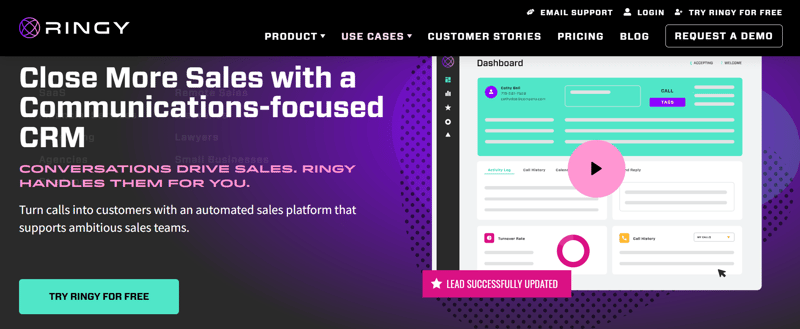
Ringy is an excellent auto dialer software that offers a wide range of features and benefits to help call centers improve their efficiency and effectiveness. The software has advanced call management tools, such as call recording, call monitoring, and call reporting, allowing managers to track their agents' performance and adjust as needed.
Key Features:
|
Features |
Description |
|
Automated Drip Campaigns |
Triggers emails and SMS based on call outcomes. |
|
Call reporting, monitoring, and recording features allow managers to monitor agent performance and make changes where necessary |
|
|
Built-in CRM |
The software’s dynamic CRM system is perfect for importing or managing lead and customer lists while offering the ability to analyze sales or call data |
|
Progressive Dialing |
Keeps agents productive by queuing the next call immediately. |
|
Customization Options |
The software auto dialer can customize your messages, schedule your calls, and segment customer or lead lists to personalize your sales pitch and target efforts. |
|
Allows agents to use the web based auto dialer features on the go. |
|
|
Pricing |
Ringy's all-in-one solution retails $119 per month and helps eliminate using multiple communication platforms. |
Ringy is the ideal choice for cost-conscious businesses that need a robust auto phone dialer software combined with lead nurturing tools.
2. Five9
This cloud-based VoIP contact center software facilitates more than five billion call minutes annually and serves over 2,000 customers worldwide. Five9's AI assists live agents by automating transactions while minimizing services cost to deliver a more conversational experience.
The company has online classes and documents that make learning the system straightforward. Users can build new IVR scripts or campaigns through Five9's innovative dashboard in a few minutes.
Five9 also offers a voice and screen recording option for monitoring interactions and training new staff. The platform provides the stability and flexibility that contact centers require.
Key Features:
- Multiple Dialing Modes: Switch between predictive, power, progressive, and preview dialing.
- Omnichannel Support: Manages voice, chat, email, and social media in one interface.
- Workflow Automation: Smart routing ensures leads reach the most qualified agent.
- AI Agent Assist: Provides real-time coaching and transcripts during calls.
- CRM Deep Integration: Seamlessly syncs with Salesforce, Zendesk, and Oracle.
With its ability to provide an easy remote work option, Five9 is an excellent choice for companies looking to improve their call center operations.
3. Connex One/Connex AI

Connex One or Connex AI is a forward-thinking sales dialer that prioritizes omnichannel engagement and agent motivation. Beyond standard dialing, it incorporates gamification features to keep sales reps energized. It is particularly effective for teams that want to blend auto dialer calls with modern communication channels like WhatsApp and social media messaging, ensuring a holistic approach to outreach.
Key Features:
- Gamification Dashboards: Leaderboards and achievements to boost team morale.
- Omnichannel Communication: Integrated WhatsApp, Facebook Messenger, and chat options.
- Sentiment Analysis: AI that analyzes voice tone to gauge customer emotion.
- Predictive Dialing: Algorithms that minimize wait times between connections.
- Visual Customer Journey: Maps out every touchpoint a prospect has had with your brand.
4. Salesloft

Salesloft is less of a traditional volume dialer and more of a complete sales engagement platform. It is designed for B2B revenue teams focusing on high-quality, personalized outreach rather than just churning through numbers. The sales dialer is embedded directly into "cadences," structured workflows of calls, emails, and LinkedIn touches, ensuring that every interaction is strategic and tracked.
Key Features:
- Cadence Workflows: Orchestrates multi-channel sequences (call, email, social).
- Live Call Studio: Allows managers to listen, whisper, and join active calls for coaching.
- Sentiment & Disposition Logging: Tracks why deals progress or stall.
- CRM Sync: Two-way synchronization with Salesforce and Microsoft Dynamics.
- Click-to-Call Dialer: Integrated directly into the workflow for seamless execution.
Closing Statement: If your strategy relies on account-based marketing and precision rather than sheer volume, Salesloft is the premier auto dialer for sales teams.
5. Kixie
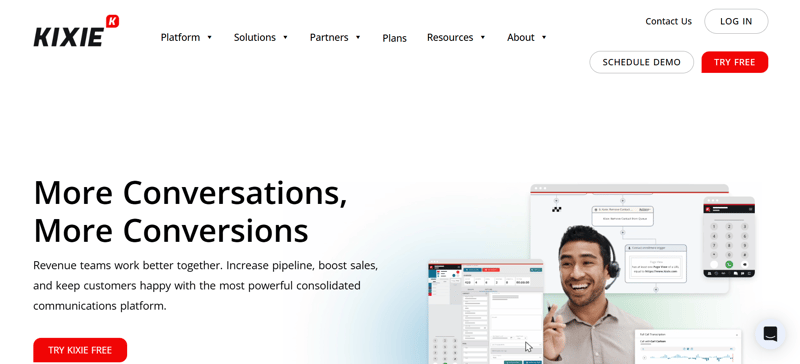
Kixie is a lightning-fast power dialer built for speed and integration. It lives primarily as a browser extension that turns any CRM into a dialing powerhouse. Kixie is famous for its "ConnectionBoost" technology, which significantly increases answer rates through local presence. It is a favorite among teams using HubSpot or Pipedrive who need an online auto dialer that just works without complex setup.
Key Features:
- One-Click Power Dialing: Instantly call numbers from any webpage or CRM.
- Local Presence: Automatically displays a local area code to the prospect.
- Voicemail Drop: Leaves pre-recorded messages with a single click.
- SMS Automation: Sends automated follow-up texts after missed calls.
- Real-Time Coaching: Listen-in and barge-in features for immediate training.
Kixie is the ultimate tool for high-velocity teams needing a sales auto dialer that integrates tightly with their existing tech stack to drive immediate volume.
Software Auto Dialer - Final Thoughts
A software auto dialer is like a scoop of ice cream on a hot summer day - it's the perfect solution to a common problem. It helps businesses save time and resources by automating repetitive and time-consuming tasks, such as making phone calls.
With various features and pricing plans, enterprises of all sizes can find a software auto dialer that fits their needs and budget.
Like a scoop of ice cream, a software auto dialer is a sweet addition to any company's toolkit. It helps it run more efficiently and effectively, allowing the organization to focus on what they do best - serving its customers delicious ice cream (or products/services).
Our software can be the scoop of flavor needed to take your call center to the next level.
If you're interested in trying out Ringy and seeing how it can benefit your business, don't hesitate to request a demo today and taste the sweet success Ringy delivers.

Skyrocket your sales with the CRM that does it all.
Calling? Check. SMS? Check. Automation and AI? Check. Effortlessly keep in touch with your customers and boost your revenue without limits.

Related Articles











.jpg)

.jpg)



















.jpg)