 Updated on
 By Rob Marquez
Table of Contents

In an era dominated by lightning-fast fiber optics and 5G cellular networks, you might assume that the hum of a phone line belongs in a museum next to floppy disks and pagers.
However, if you live in a rural suburb or a budget-conscious household, you are likely still relying on a technology that paved the way for the modern web.
You need an internet connection that is reliable and affordable, yet you are often left wondering if your current setup can keep up with today's bandwidth-heavy demands.
Most people don't actually know what is DSL or how it differs from the faster alternatives being advertised every day. You might be struggling with inconsistent speeds or wondering why your connection lags during a video call, all while being told that "broadband is broadband." This lack of clarity leads to frustration, especially when you are trying to determine if you should stick with your current provider or make a costly jump to a different technology.
You're left feeling like you're paying for a service you don't fully understand, potentially missing out on better options or overpaying for features you don't need.
The solution is a deep dive into the mechanics, benefits, and drawbacks of what is DSL internet. By understanding how your standard copper phone lines are transformed into a high-speed data highway, you can make informed decisions about your digital life.
Key Takeaways
- Definition: DSL (Digital Subscriber Line) uses existing copper telephone lines to transmit high-speed data.
- Always-On: Unlike dial-up, DSL doesn't tie up your phone line and provides a continuous connection.
- Distance Sensitive: Speed depends heavily on how close you are to the provider's central office.
- Budget-Friendly: Often the most affordable wired broadband option for light to moderate users.
What Is DSL?
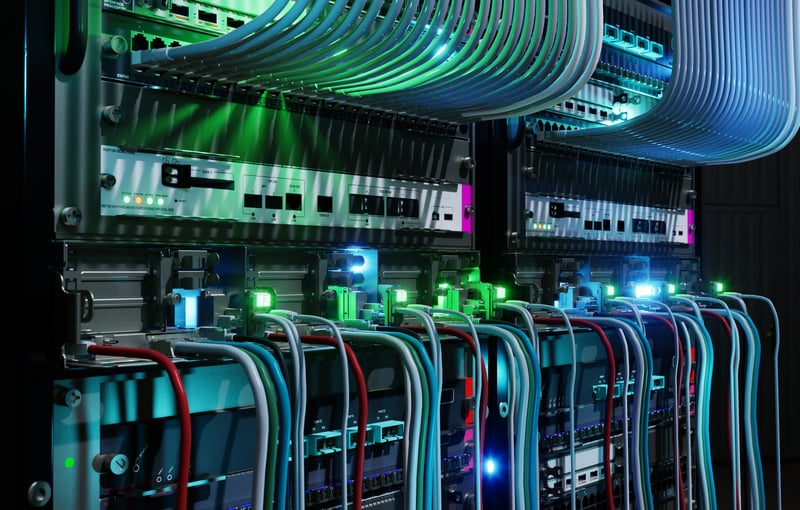
Digital Subscriber Line (DSL) is a type of broadband communication technology that transmits digital data over existing copper telephone lines, allowing for high-speed internet access without interfering with standard voice calls.
While it uses the same physical infrastructure as the old dial-up connections, it operates on a completely different frequency. This means you can browse the web and talk on the phone simultaneously.
It was the first "always-on" internet service for most people, eliminating the need to wait for a series of beeps and boops to connect.
What Is DSL Internet?
Expanding on the technical definition, what is DSL internet service is essentially a form of wired broadband. Broadband refers to wide-bandwidth data transmission which transports multiple signals and traffic types. In the context of your home, it means you have enough "room" on your line for both your computer's data and your landline's voice signal.
Typical speed ranges for DSL can vary significantly, usually falling between 5 Mbps and 100 Mbps.
The reason this technology became so popular is that it leveraged the massive, pre-existing network of telephone wires that already reached almost every home in the country. This made broadband expansion incredibly accessible and cost-effective compared to laying entirely new cables.
What Is a DSL Connection?
When we talk about what is a DSL connection, we are referring to the physical and technical link between your home and the internet service provider (ISP). This connection relies on a clever trick of physics: splitting the copper line into two separate "lanes."
- Voice lane: Operates on low frequencies (0 to 4 kHz).
- Data lane: Operates on much higher frequencies (25 kHz to over 1 MHz).
At the provider's end, your line connects to a piece of equipment called a DSLAM (Digital Subscriber Line Access Multiplexer). The DSLAM's job is to take the data from multiple DSL connections and aggregate them into a single high-speed link to the internet backbone.
One defining characteristic of a DSL connection is latency.
While DSL is generally stable, its speed is highly dependent on distance. Because the digital signal degrades as it travels through copper wire, the further your home is from the provider's central office, the slower your internet will be.
How Does DSL Work?

Understanding the data flow of what is DSL? involves looking at how ISPs pack digital information into analog copper wires. Modern DSL uses a technique called Discrete Multi-Tone (DMT) modulation.
This process divides the available frequency of the phone line into 256 separate channels or "bins."
Understanding the Data Flow
As the data travels, the modem at your house modulates your computer's digital signal into high-frequency analog signals. On the other end, the DSLAM demodulates it back into digital data. This process happens in milliseconds, allowing for smooth browsing and streaming.
Here's how it looks:
- Separation: Filters or splitters ensure your voice calls don't "hear" the high-frequency data noise.
- Compression: Advanced techniques allow for more data to be packed into the high frequencies.
- Transmission: Data travels as analog waves over the copper wire.
- Reconstitution: The DSLAM at the central office turns those waves back into the 1s and 0s of the internet.
Because of this reliance on high frequencies, distance is the ultimate enemy. High-frequency signals weaken (attenuate) much faster than low-frequency voice signals. This is why a house one mile from the central office might get 50 Mbps, while a house three miles away struggles to reach 10 Mbps.
What Is a DSL Cable?
There is a common misconception that you need a special DSL cable to connect your computer. In reality, the "cable" that brings the internet to your house is just a standard copper phone line, technically known as a twisted-pair cable.
Not a Special Cable
The actual wiring inside your walls is likely the same CAT-3 or CAT-5 wiring used for landlines for decades.
However, the connection between your wall jack and your modem usually uses a standard RJ-11 phone cord. This is different from the RJ-45 Ethernet cables used to connect your computer to the modem.
Here's a look at the two:
- RJ-11 (Phone Jack): Smaller, with 4 pins. Used to connect the wall to the DSL modem.
- RJ-45 (Ethernet): Larger, with 8 pins. Used to connect the modem to your computer or router.
To prevent your landline phone from making a static "hissing" sound while you're online, you must use a DSL filter (or microfilter). These small devices plug into every phone jack in the house that has a landline phone attached, effectively "filtering out" the high-frequency data noise before it reaches your ear.
What Is a DSL Modem?
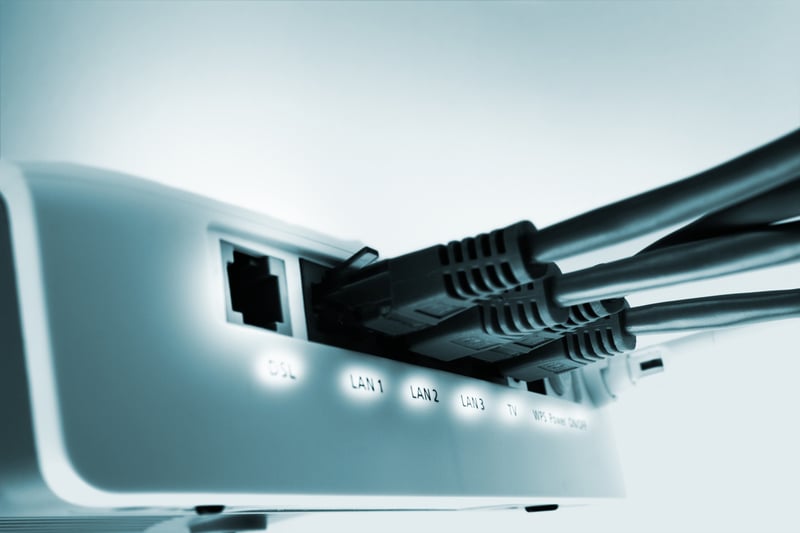
The DSL modem is the translator for your home network. Without it, your computer and the phone line would be speaking two different languages. The term "modem" stands for Modulator-Demodulator.
DSL Modem Function
The modem takes the digital data from your laptop and modulates it into high-frequency analog signals that can travel over copper. It also does the reverse for incoming data.
Most modern providers give you a "gateway," which is a single device that combines a DSL modem and a wireless router. This allows you to have DSL wifi without needing two separate boxes.
When you look at your modem, the LED lights tell a story:
- Power: The device is on.
- DSL/Sync: The modem has found a signal from the central office.
- Internet: The modem has successfully authenticated with the ISP.
If the DSL light is blinking, it usually means the modem is trying to find the signal but failing—often due to a loose cable or a problem at the provider's end.
Types of DSL Services
Not all DSL is created equal.
Depending on your location and your business needs, you might be using one of several different variants. These types differ primarily in how they allocate bandwidth between uploading and downloading.
ADSL (Asymmetric DSL)
This is the most common type of DSL broadband for residential users. The word "asymmetric" means that the download speed is significantly faster than the upload speed. This is designed for the way most people use the web: downloading a lot of data (streaming Netflix, loading websites) but uploading very little (sending an email, posting a photo).
SDSL (Symmetric DSL)
Mainly used by businesses, SDSL provides identical upload and download speeds. This is crucial for companies that need to send large files to clients or host their own web servers.
Because it uses more of the phone line's capacity for the "up" lane, you often cannot use a landline phone on the same wire.
VDSL and VDSL2 (Very-High-Bit-Rate DSL)
VDSL is the modern powerhouse of DSL internet. By using even higher frequencies and requiring the user to be very close to a fiber-optic node, it can reach speeds up to 100 Mbps.
It is often used in "Fiber-to-the-Node" (FTTN) setups, where fiber carries the signal to your neighborhood, and copper handles the "last mile" to your house.
Here's a quick comparison table to summarize what we've just discussed.
|
DSL Type |
Symmetry |
Typical Download |
Typical Upload |
Best Use Case |
|
ADSL |
Asymmetric |
1.5 - 24 Mbps |
0.5 - 1.5 Mbps |
Home browsing, streaming |
|
SDSL |
Symmetric |
1.5 - 7 Mbps |
1.5 - 7 Mbps |
|
|
VDSL |
Asymmetric |
20 - 100 Mbps |
5 - 20 Mbps |
HD Streaming, Gaming |
|
VDSL2 |
Symmetric/Asymmetric |
Up to 200 Mbps |
Up to 100 Mbps |
Advanced Business, 4K |
Each of these types serves a specific purpose, but they all rely on the same copper foundation. Whether you are using Kotlin DSL in a programming context (which is a completely different "Domain Specific Language") or the physical internet line, the goal is always efficient, structured communication.
What Is DSL Service and Who Provides It?
When you sign up for DSL internet service, you are dealing with an Internet Service Provider (ISP).
In many cases, your DSL company is also your local telephone company.
What Is a DSL Provider?
DSL is a set of technologies used to transmit digital data over telephone lines. It is a common method for providing broadband internet access.
There are generally three types of companies that offer DSL:
- Incumbent Providers: Large telcos like AT&T, Verizon, or CenturyLink that own the physical copper lines.
- Regional Providers: Smaller companies that service specific areas or states.
- Resellers: Companies that rent the lines from the big telcos and sell the service under their own brand.
For many budget-conscious customers, DSL remains attractive because it is often the cheapest way to get a "wired" connection.
Unlike satellite or mobile hotspots, there are often no strict data caps, and the monthly price is predictable. If you are using a hosted VoIP phone system for your small business, a stable DSL line can be a reliable and affordable backbone.
Where DSL Service Performs Best
While it can struggle in dense urban centers where interference is high, DSL is a hero in:
- Suburban Areas: Where phone lines are well-maintained.
- Rural Towns: Where cable and fiber companies haven't bothered to dig new trenches.
- Older Neighborhoods: Where the infrastructure is already fully established.
While DSL might not be the latest and greatest, it's a dependable workhorse that keeps many of us connected, proving that sometimes, the established infrastructure is the most reliable path to the online world, especially when you live off the beaten path.
What Is the Main Drawback of DSL Internet?
The main drawback of DSL internet is signal attenuation over distance. Because DSL runs through copper telephone lines, performance weakens as the user's home gets farther from the provider's central office. This results in slower download rates, inconsistent speeds, and reduced suitability for bandwidth-heavy tasks like 4K streaming or large file uploads.
Other Disadvantages of DSL Service
While distance is the "killer" of DSL speed, it's not the only downside. Because the copper infrastructure in many parts of the country is aging, the physical lines can be prone to interference or damage from water and wear.
- Speed Caps: Even the best VDSL cannot compete with a basic fiber plan.
- Asymmetric Limits: For remote workers who do a lot of video conferencing, the low upload speeds of ADSL can lead to "freezing" or pixelated video.
- Phaseouts: In many cities, providers are stopping new DSL sales entirely as they push customers toward fiber or 5G home internet.
If you find that your home internet is struggling to keep up with your VoIP solutions, it might be due to these inherent technology limits rather than a fault with your hardware.
DSL Internet vs. Other Connection Types
To understand if a DSL connection is right for you, you have to see how it stacks up against the modern competition. The choice usually comes down to a trade-off between price, speed, and availability.
DSL vs. Cable Internet
Cable internet uses the same coaxial copper wires as your cable TV. Because these wires have much more shielding and bandwidth than a phone line, cable is significantly faster (reaching up to 1,200 Mbps).
However, cable bandwidth is shared with your neighbors: if everyone on your block is on Netflix at 7 PM, your speed might dip. DSL is a dedicated line; your speed is consistent, regardless of what the person next door is doing.
DSL vs. Fiber Internet
Fiber is the gold standard. Instead of electrical signals over copper, it uses pulses of light over glass. It is immune to distance issues and offers symmetrical speeds (e.g., 1,000 Mbps up and 1,000 Mbps down). DSL provides a budget-friendly safety net in areas where fiber hasn't arrived yet.
DSL vs. Satellite Internet
Satellite is often the only other choice in very rural areas. While satellite has high theoretical speeds, it suffers from extreme latency (the time it takes for a signal to go to space and back). This makes video calls and gaming nearly impossible. DSL, despite its lower speed, is much better for real-time communication like WiFi calling.
Here's a simplified look.
|
Feature |
DSL |
Cable |
Fiber |
Satellite |
|
Max Speed |
100 Mbps |
1,200 Mbps |
5,000+ Mbps |
100 Mbps |
|
Reliability |
Moderate |
High |
Excellent |
Low (Weather) |
|
Latency |
20-40 ms |
15-30 ms |
1-10 ms |
600+ ms |
|
Cost |
$ - $$ |
$$ - $$$ |
$$ - $$$ |
$$$$ |
As you can see, DSL holds its own as a reliable, mid-tier option, especially when compared to the high cost and high latency of satellites.
Future of DSL — Is It Going Away?
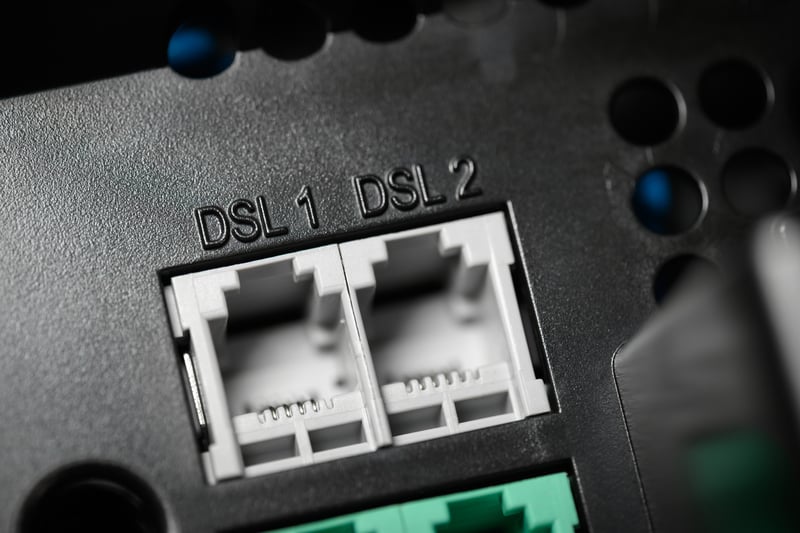
The short answer is: yes, but slowly. We are currently in the middle of a massive "Copper-to-Fiber" migration. Large providers like AT&T have already begun the process of decommissioning their legacy copper networks in major cities.
Where DSL Will Likely Persist
For the next decade, what is DSL? will remain a vital question for rural and underserved regions. In many parts of the country, it is simply not economically viable for a company to run ten miles of fiber-optic cable for three houses.
In these locations, the existing phone lines will remain the primary lifeline to the digital world.
Transitional Technologies
Many ISPs are using a hybrid model called "Fiber-to-the-Node" (FTTN). They run fiber into the heart of a neighborhood and then use the existing copper DSL lines for the "last mile" to the house.
This allows them to offer VDSL2 speeds without the massive expense of digging up every person's driveway to lay new fiber.
What Is DSL: Final Thoughts
Understanding what is DSL about is more than just knowing a technical definition; it's about understanding the foundation of our modern connected world. While it may not be the fastest technology on the market, its reliability, affordability, and widespread availability make it a critical tool for millions of people. Whether you are using it as a primary connection in a rural town or as a budget-friendly backup for your small business, DSL remains a testament to the enduring power of the copper network.
If your current connection is struggling to keep up with the demands of a modern VoIP phone system, it's time to look at your options. Whether you stay with DSL or move to fiber, being informed is your best defense against slow speeds and high costs.
Ready to upgrade your business communication and see how automation can transform your sales with our solution?
Request a demo with Ringy today and discover how our all-in-one CRM and automated marketing tools can help you close more deals, no matter your internet speed

Skyrocket your sales with the CRM that does it all.
Calling? Check. SMS? Check. Automation and AI? Check. Effortlessly keep in touch with your customers and boost your revenue without limits.

Related Articles









.jpg)

.jpg)



















.jpg)