
 Updated on
 By Katie Bowman
Table of Contents

Key Takeaways:
- Reverse email search helps you identify who's behind an email address by linking it to public digital footprints like social profiles, domain records, forums, and breach data, so you can verify legitimacy and avoid scams.
- These tools work by aggregating data from multiple sources, matching identity signals to build a profile, and surfacing confidence and freshness signals, which explains why different tools return different results.
- Free reverse email search tools usually rely on cached, surface-level data and may track users, while paid tools tend to deliver deeper, more current, and more privacy-aware reports with stronger compliance guardrails.
- A reliable reverse email search workflow starts with free tools, runs the email carefully (correct formatting and variations), cross-checks findings across multiple sources, and validates results using real-world context like domain logic and profile activity.
- Tool choice depends on your goal: Hunter and Clearbit (HubSpot/Breeze) fit B2B identity and enrichment, That's Them supports personal identity lookups, EmailRep flags risk and reputation, and Gravatar enables manual OSINT by uncovering forgotten profile connections.
We've all stared at an inbox notification, squinting at a sender name like "hot-dealz-4u@gmail.com" and wondering if it's a legitimate opportunity or just another request for a wire transfer to a "stranded prince."
Instead of playing guessing games or risking a click on a shady link, you can take control. A reverse email search acts as your personal background check, cutting through the anonymity to reveal the human, or bot, behind the screen. It's a little bit of Sherlock Holmes energy, just without the deerstalker hat and the pipe.
Understanding who is contacting you saves time and protects your data, turning a potential security headache into a solved mystery. Now, let's look at exactly how to unmask that sender.
What Is a Reverse Email Search?

A reverse email search is a digital lookup process that identifies the owner of a specific email address by scanning public databases, social media platforms, and online records. This tool connects an anonymous email to real-world details, such as a name, location, phone number, or social profile, helping users verify identities and spot potential scams.
How Reverse Email Search Works Behind the Scenes
When you type an address into an email reverse search engine, it feels instantaneous, but there is a massive amount of digital heavy lifting happening in the background. Think of it as a librarian sprinting through a million rows of filing cabinets in under three seconds. These tools don't just "Google" the address, they cross-reference vast datasets to build a profile.
Here is how the technology connects the dots:
- Data Aggregation: Tools scrape and aggregate data from open-source (OSINT) sources, including social media profiles, domain registrations, marketing lists, and public government records. Some advanced tools even check known data breaches to see if the email has appeared in leaked databases.
- Identity Matching: The software looks for a "digital fingerprint." If john.doe@example.com was used to sign up for a LinkedIn account, register a domain, or post on a public forum, the reverse search email address tool links those activities to a single identity.
- Confidence Scores & Freshness: Not all data is created equal. A high-quality reverse search by email will often provide a "confidence score." This indicates how likely the match is accurate. Since people change jobs and delete accounts, data freshness is vital because a result from 2015 isn't much help today.
Why Results Vary Between Tools: You might notice that a free reverse email search gives you different results than a paid one. This happens because no single tool has access to every database. Some prioritize social media scraping, while others focus on public records or business directories. This is why cross-checking your target with multiple tools is often the smartest move to avoid false positives (incorrect matches).
Free vs Paid Reverse Email Search Tools: What's the Difference?
You've probably heard the adage, "You get what you pay for." In the world of OSINT (Open Source Intelligence), this rings especially true. While a free reverse email search can be a handy quick-fix, it often lacks the horsepower of a premium service. Understanding the trade-offs is key to deciding whether you need to open your wallet or just open a new browser tab.
Here is a breakdown of how the two tiers typically compare:
|
Feature |
Free Reverse Email Search |
Paid Search Tools |
|
Data Sources |
Standard search engines, public social media bios. |
Deep web databases, criminal records, financial data, and dark web breach checks. |
|
Accuracy |
Hit or miss; often relies on older, cached data. |
High; frequently cross-referenced for current validity. |
|
Privacy |
You might be the product; some sites track your search data. |
Strict encryption; often anonymous and compliant with privacy laws. |
|
Report Depth |
Basic (e.g., social handle or generic location). |
Comprehensive (e.g., full name, phone numbers, address history, photos). |
The Reality of Real-Time vs. Cached Results
A free email reverse search engine usually pulls from "cached" data, including information that was scraped months or even years ago. If your target changed their LinkedIn handle last week, a free tool probably won't know.
Paid tools, however, often perform real-time queries, pinging live databases to give you the most current snapshot of who owns that email address.
Privacy and Ethical Considerations
This is the big one. Free tools have to make money somehow, and sometimes that means selling user data or inundating you with ads. Furthermore, paid services are more likely to include compliance guardrails (such as FCRA restrictions) that help keep you legally safe when you reverse-search an email for sensitive purposes, like tenant screening or hiring.
How to Do a Reverse Email Search (Step-by-Step)

You don't need to be a cybersecurity expert to figure out who is sliding into your DMs. Most of the time, it just requires a logical process and the right tools. Here is a reliable workflow on how to do a reverse email search without getting lost in the data weeds.
1. Start With a Free Reverse Email Search Engine
Before you commit to a subscription, always dip your toes in with a free reverse email search engine. These tools are excellent low-risk starting points.
- What to Expect: A free email reverse search engine typically scrapes surface-level data. You likely won't get a home address, but you might get a hit on a username or a connected Gravatar.
- Common Results: Look for "breadcrumbs" like a first name, a Pinterest account, or a public Skype handle. Even if the tool only gives you a partial username, that is often enough to pivot your search elsewhere.
2. Run a Reverse Search Email Address Query
Once you have selected a tool, it's time to input the data. While it sounds simple, small details can tank your results.
- Check Formatting: Ensure there are no trailing spaces or hidden characters when you paste the address. A reverse search email address query is literal, and a misspelled domain (like gmal.com) will return zero results.
- Test Variations: If the person has a common name, try to reverse search an email that follows standard corporate patterns (e.g., first.last@company.com) if you are trying to verify a professional identity. Sometimes, verifying what the email isn't helps you figure out what it is.
3. Cross-Check Results Across Multiple Sources
Here is the golden rule of OSINT: Never trust a single source. No single email reverse search engine has access to the entire internet.
- The Data Silo Problem: One tool might specialize in scraping LinkedIn, while another is better at finding old forum posts. If Tool A says the email belongs to "Bob Smith" and Tool B says "Robert J. Smith," you are on the right track.
- Reducing False Positives: If you reverse search an email and get three completely different names from three different tools, the email might be a "recycled" address or a shared inbox. Triangulating data helps filter out the noise.
4. Validate Findings With Context
Data without context is just noise. Once you have a name or a profile, you need to ask if it makes sense.
- Social Signals: Does the LinkedIn profile associated with the email have connections and activity, or was it created yesterday with a stock photo?
- Domain Logic: If an email claims to be from a bank but the reverse email search ties it to a free domain provider or a totally unrelated business, that is a massive red flag. Context is your best defense against sophisticated phishing attempts.
Best Free Reverse Email Search Tools (Compared)
Not all search tools are created equal. Some excel at digging up corporate hierarchy charts, while others are better suited for spotting a scammer on a classifieds site.
To help you choose the right tool for your specific mystery, we've evaluated them based on Data Sources (public vs. private records), Result Depth (social handles vs. full contact info), and Free Tier Generosity (how much you can do before hitting a paywall).
Here is how the top contenders stack up:
|
Tool |
Best For |
Free Limit |
Data Type |
|
B2B & Professional Emails |
50 searches/month |
Corporate & Domain Data |
|
|
Business Enrichment |
Varies (Browser Ext.) |
LinkedIn & Firmographic |
|
|
Personal Identity Checks |
Limited daily searches |
Public Records & Social |
|
|
Fraud & Risk Detection |
10 lookups/day |
Reputation & Behavior |
|
|
Manual DIY Research |
Unlimited (Manual) |
Global Avatar Database |
1. Hunter
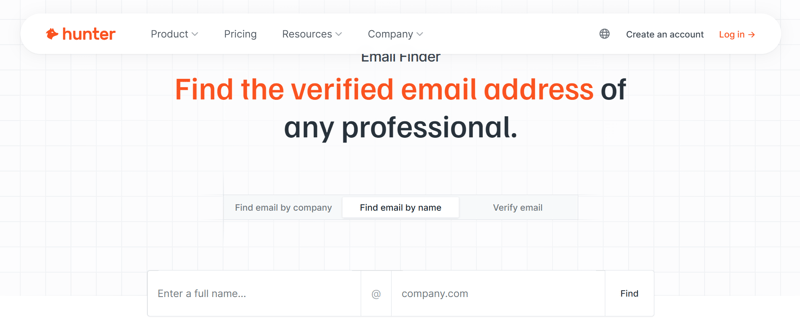
Best for: Business email validation and domain-based lookups.
Hunter is the industry standard for professional prospecting. While it is primarily designed to help sales teams find leads, its reverse search capabilities are powerful for verifying if a professional email address (name@company.com) is legitimate. It scrapes the web for public mentions of email addresses on company websites and news articles.
- How it works: You enter a domain or email, and Hunter checks its massive index of professional contacts. It tells you the "confidence score" of the email's validity and often provides the sources where the email was found online.
- The "Email Blast" Connection: If you are preparing a cold email blast for a marketing campaign, Hunter is essential for cleaning your list first. It prevents you from sending messages to dead inboxes, which protects your sender reputation.
- Free Tier Limits: The free plan typically offers 50 monthly credits, which can be used for search or verification.
- Why it works: It offers high transparency. Hunter doesn't just give you a name; it shows you where it found the email (e.g., a blog post from 2023), allowing you to verify the data yourself.
2. Clearbit (Powered by HubSpot)
Best for: Enriching known business contacts and CRM system integration.
Clearbit has historically been a favorite for its Chrome extension, which sits right inside your Gmail inbox. Note: As of recently, much of Clearbit's free functionality has been folded into HubSpot's "Breeze Intelligence," so availability may vary depending on your existing tech stack.
- How it works: When you receive an email from an unknown business contact, Clearbit acts as a sidebar detective. It parses the email domain to pull up company details (employee count, location, revenue) and the sender's role (e.g., "VP of Sales").
- The Workflow: This tool shines when used for CRM email integration. Instead of manually typing data into your Salesforce or HubSpot account, Clearbit can automatically populate the sender's job title and company details, saving you hours of data entry.
- Free Tier Limits: Historically offered 100 free lookups per month via the extension, though users should check the current "Breeze" tiering as HubSpot consolidates features.
- Why it works: It provides instant context. You don't get a home address, but you get a professional snapshot that tells you exactly who you are dealing with in a business context.
3. That's Them
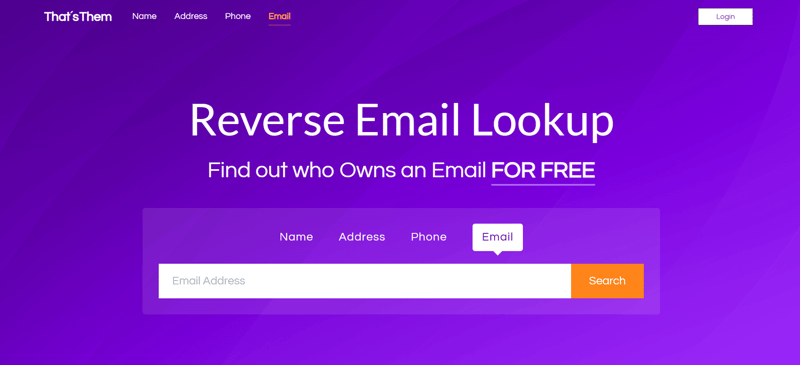
Best for: General-purpose free reverse email search.
While Hunter and Clearbit focus on the boardroom, That's Them focuses on the living room. This is a people-search engine that aggregates public records, making it much better for investigating personal email addresses (gmail.com, yahoo.com, etc.).
- How it works: It cross-references the email against public records like voter registration lists, property records, and social media sign-ups.
- What You Might Find: Unlike the B2B tools, That's Them can potentially reveal a physical address, a phone number, and even family members associated with the email owner.
- Free Tier Limits: It is one of the few remaining tools that allows for a generous number of free reverse email search queries per day (often up to 10) without forcing a credit card signup.
- Why it works: It is accessible and surprisingly deep. It's the tool to use when you are trying to figure out if the person buying your used couch on Craigslist is a real local resident.
4. EmailRep
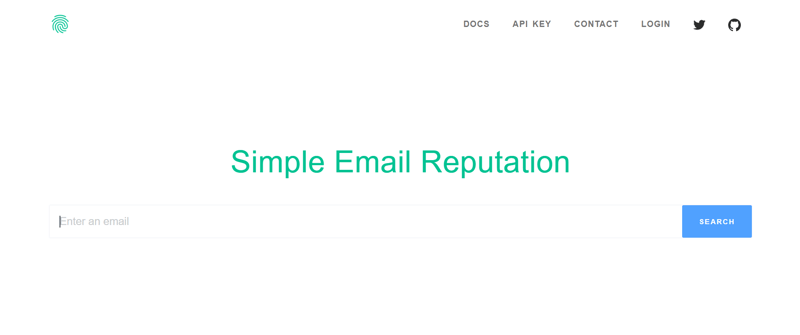
Best for: Security and fraud-related checks.
EmailRep doesn't care who the person is; it cares what the email is doing. It analyzes the behavior and "reputation" of the address to tell you if it's safe.
- How it works: It scans for risk signals: Is the email properly set up? Has it been seen in data breaches? Is it a "throwaway" account created 10 minutes ago?
- The "Email Flow" Factor: Developers and security-conscious users often insert EmailRep into their signup email flow. If a user tries to register with a risky or disposable email address, EmailRep flags it instantly, preventing spam bots from entering your system.
- Free Tier Limits: The free "Community" API key typically allows for 10 queries per day, which is perfect for occasional personal checks.
- Why it works: It spots the fakes. If you reverse search an email and EmailRep tells you the account has "no reputation" and was created today, you know to walk away.
5. Gravatar
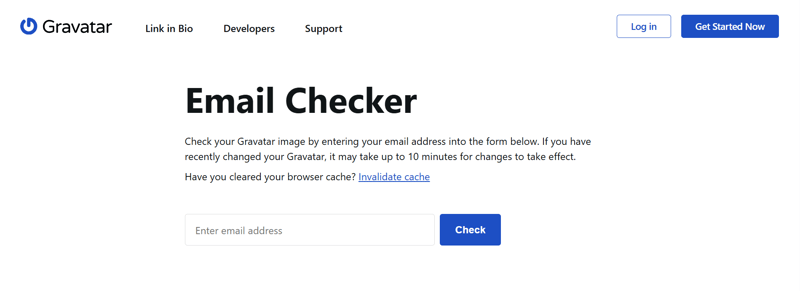
Best for: Lightweight manual reverse email research.
Gravatar (Globally Recognized Avatar) is a service used by WordPress and millions of other sites to host user profile pictures. It is a hidden gem for OSINT because many people forget they set it up years ago.
- How it works: This is a manual "hack." You can take an email address, turn it into an MD5 hash (there are free online tools for this), and append it to the Gravatar URL. If the user has a profile, their photo and sometimes their name or location will pop up.
- The Process: It requires a bit of technical comfort, but it effectively bypasses the need for a third-party search engine. You are querying the source directly.
- Free Tier Limits: Unlimited. Since you are performing the manual URL manipulation yourself, there are no credits to run out of.
- Why it works: It relies on human error. People often upload a photo to Gravatar for a blog comment in 2015 and forget it exists. Years later, that same photo can confirm their identity for you.
Frequently Asked Questions About Reverse Email Search
To help you separate fact from fiction (and useful tools from marketing gimmicks), here are the answers to the most common questions about how to reverse search an email.
Is there a completely free reverse email search?
The honest answer is: Yes, but with significant caveats.
If by "completely free" you mean a premium software suite that gives you unlimited background checks, criminal history, and phone numbers without costing a dime, then no, that does not exist. Running databases, scraping the web, and maintaining servers costs money.
However, if you are willing to trade your time for money, you can perform a free reverse email search using manual methods. Google "dorking" (using advanced search operators), checking social media manually, and using tools like That's Them (which offers a limited daily quota) are genuinely free ways to get results.
Are reverse email search results accurate?
Accuracy in the world of Open Source Intelligence (OSINT) is a spectrum, not a guarantee. A reverse email address search is only as good as the public data available at that moment.
Here's why:
- The Freshness Factor: People change jobs, get married, and delete old accounts. A tool might tell you that j.doe@example.com belongs to "Jane Doe in Chicago," but if Jane moved to London three years ago and hasn't updated her LinkedIn, the tool gives you "accurate" but outdated information.
- Source Reliability: Results derived from official sources (like domain registration records) are usually 100% accurate. Results inferred from social media (like a nickname used on a gaming forum) can be hit-or-miss.
If you are using a free tool, treat the result as a "lead," not a fact, until you verify it with a second source.
Can I reverse search a personal email address?
Yes, and in some ways, it is easier than searching for business emails because we tend to be stickier with our personal accounts.
Most people keep their primary Gmail or Yahoo address for over a decade. Over that time, they likely used it to sign up for Facebook, Pinterest, Amazon, and dozens of other services. A reverse search email tool looks for the digital footprints left behind by these sign-ups.
- The "User Handle" Connection: Often, the part of the email before the @ symbol (the local part) is the user's handle on other sites. If you are searching for coolguy99@gmail.com, a good search engine will check if coolguy99 exists on Instagram or Twitter.
- The Limitation: The main challenge with personal emails is privacy settings. If a user has locked down their social profiles to "Friends Only" and unlisted their number, a reverse search email address query might return "No Results Found." In contrast, business emails are designed to be found.
Is reverse email search legal?
Generally, yes. Reverse email search is legal because it relies on Publicly Available Information (PAI). These tools are not hacking into private servers or reading anyone's private emails. They are simply aggregating data that is already floating around on the public web, data that the user likely agreed to share when they signed up for various platforms.
However, how you use that data is where the legal lines get drawn.
- FCRA Compliance: In the United States, the Fair Credit Reporting Act (FCRA) strictly prohibits using background check tools for employment screening, tenant screening, or credit decisions unless the tool is a certified Consumer Reporting Agency. Most free email reverse search engine sites explicitly state in their Terms of Service that you cannot use their data to hire or fire someone.
- Data Privacy Laws (GDPR/CCPA): If you are collecting data on people in Europe (GDPR) or California (CCPA), you have specific obligations regarding how you store and use that information. For example, if you use reverse search data to trigger an automated email flow, like a nurturing sequence for new leads, you must ensure you have the legal right to contact them. Sending unsolicited marketing emails based on scraped data can land you in hot water with anti-spam laws like CAN-SPAM.
Conclusion
Unmasking the person behind an anonymous email address just takes the right mix of curiosity and the right reverse email search tools. Whether you are using a free email reverse search engine to spot a potential scammer or a premium service to enrich your B2B lead list, the goal is the same: clarity.
Now that you have verified who is in your inbox, the real question is: What are you going to do with that information? Data is useless if it sits stagnant. You need to turn those verified contacts into conversations, and those conversations into closed deals.
Stop letting valuable leads slip through the cracks of a disorganized inbox. Ringy transforms your cold data into active relationships.
With Ringy's all-in-one sales CRM, you can instantly organize your verified contacts, automate your follow-up flows, and click-to-call directly from your dashboard. Don't just search for leads but also close them.
Start your free trial with Ringy today and supercharge your sales pipeline.

Skyrocket your sales with the CRM that does it all.
Calling? Check. SMS? Check. Automation and AI? Check. Effortlessly keep in touch with your customers and boost your revenue without limits.

Related Articles